
First navigate to settings by selecting “Menu” on the navigation bar at the bottom of your screen, and then selecting “Settings” from the pop-up menu.
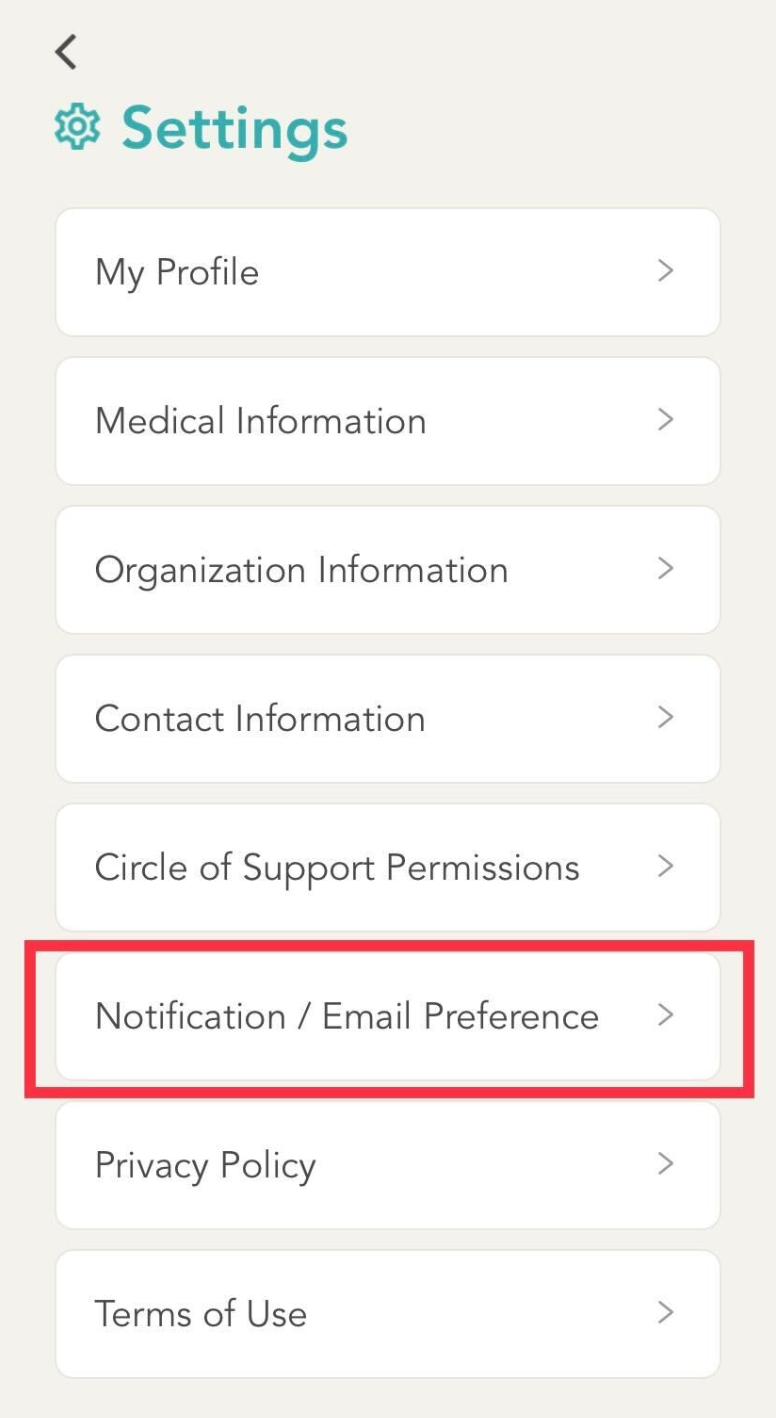
In the settings menu, select “Notification/ Email Preference”.
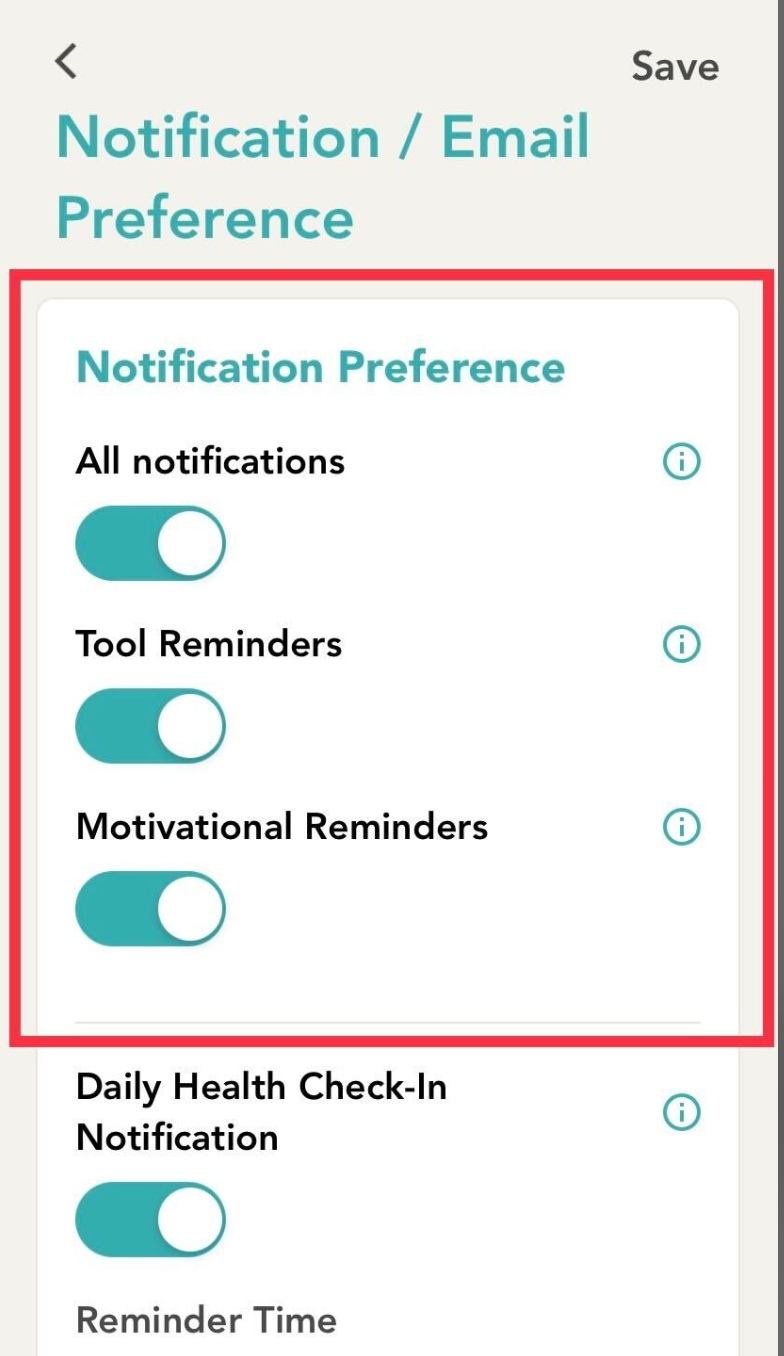
Lastly, change your notification settings as desired. When completed, ensure that you click “Save” on the top right of the screen to apply your changes.
Comments
0 comments
Please sign in to leave a comment.