
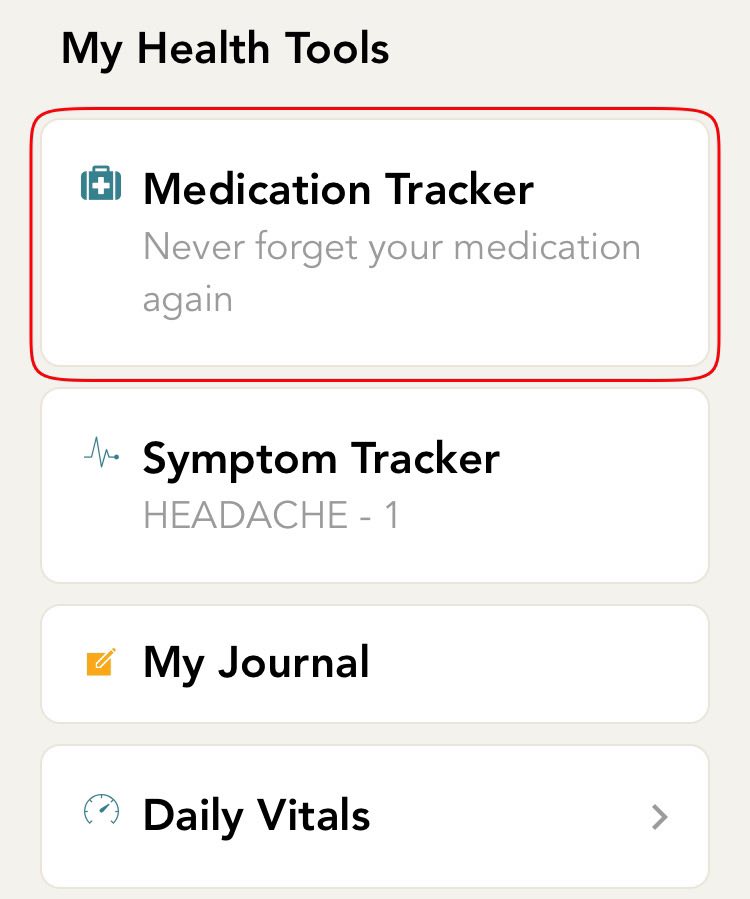
- From the home screen, click on the medication tracker card. If you are not on the home screen, click on the home icon which is on the bottom bar of your screen.
-
You will now be directed to the set up screen. You will see a list of the medications added by you. Click on the ‘Add & Edit’ option to delete a medication.
-
On the next screen, you will see a list of medications added by you. Click on the medication which you would like to delete.
-
You will now be directed to a screen with detailed medication information. Scroll down to the bottom and hit the ‘Delete Medication’ button that you see.
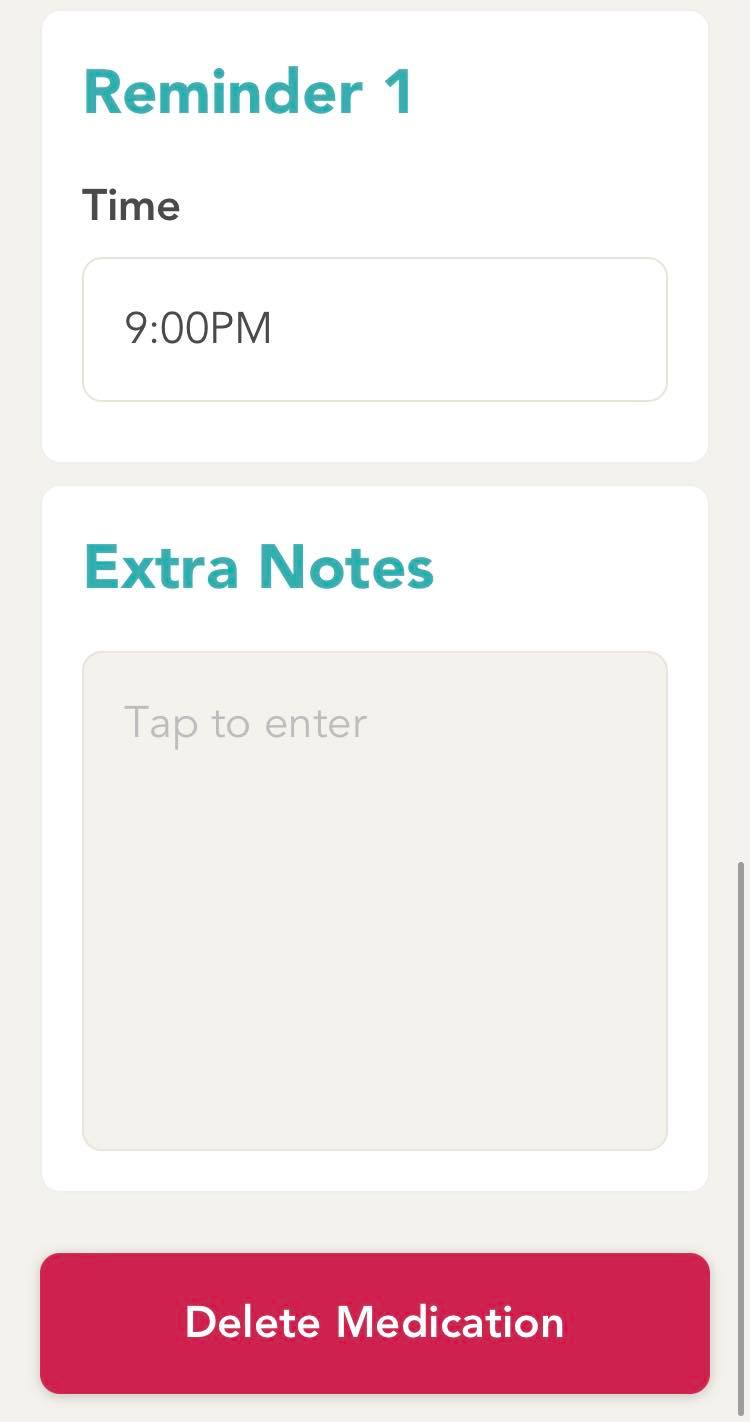
- You will now receive a pop up requesting you to confirm the delete action. Hit the delete button to delete the medication and hit cancel to go back.
Comments
0 comments
Please sign in to leave a comment.