
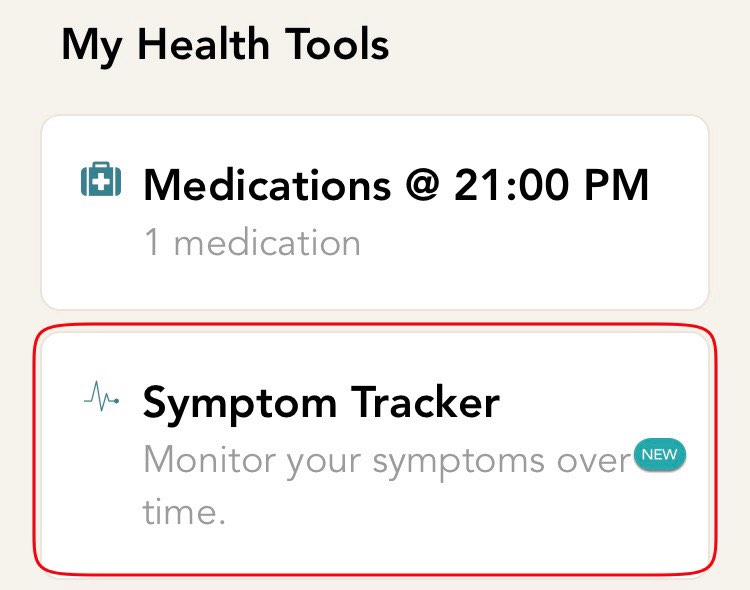
- From the home screen, click on the symptom tracker card. If you are not on the home screen, click on the home icon which is on the bottom bar of your screen.
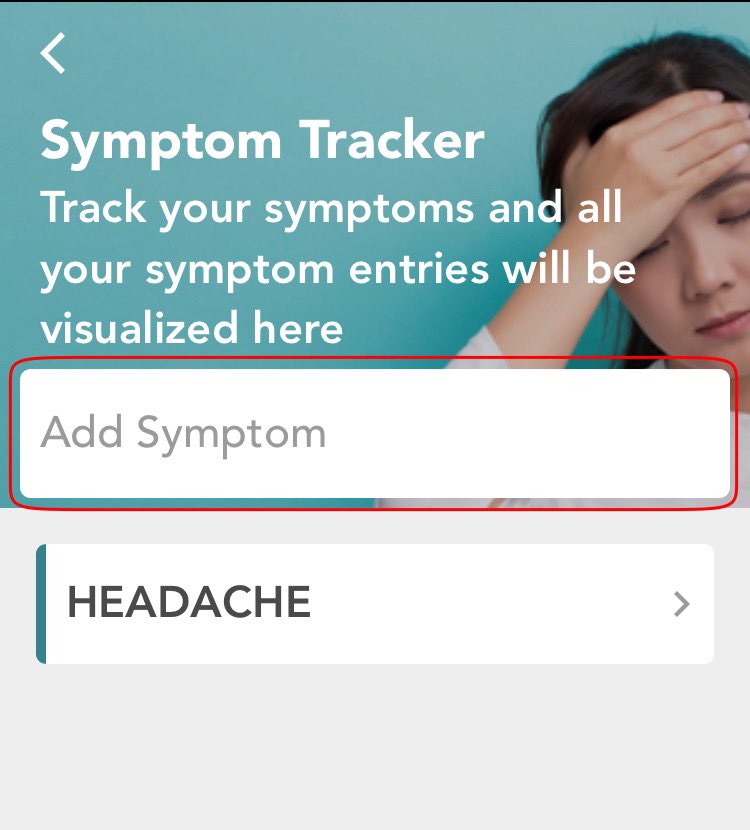
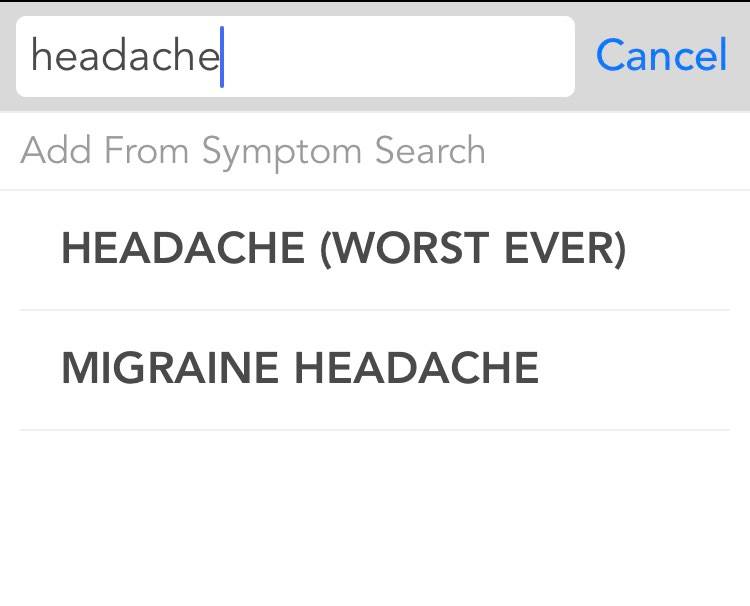
- You will now be directed to the set up screen. Type the name of the symptom which you would like to add. As you start typing, there will be a list of matching symptom names that appear, click on the one which you would like to add. If the symptom you are experiencing is not present in the list, you have the ability to add your own custom symptom.
- You will then land on the next screen where you can add notes related to your symptom.
- Hit the Finish button located at the top right corner of the screen.
Comments
0 comments
Please sign in to leave a comment.